Premium showcase · Virtual Mirror (try-on) · WhatsApp
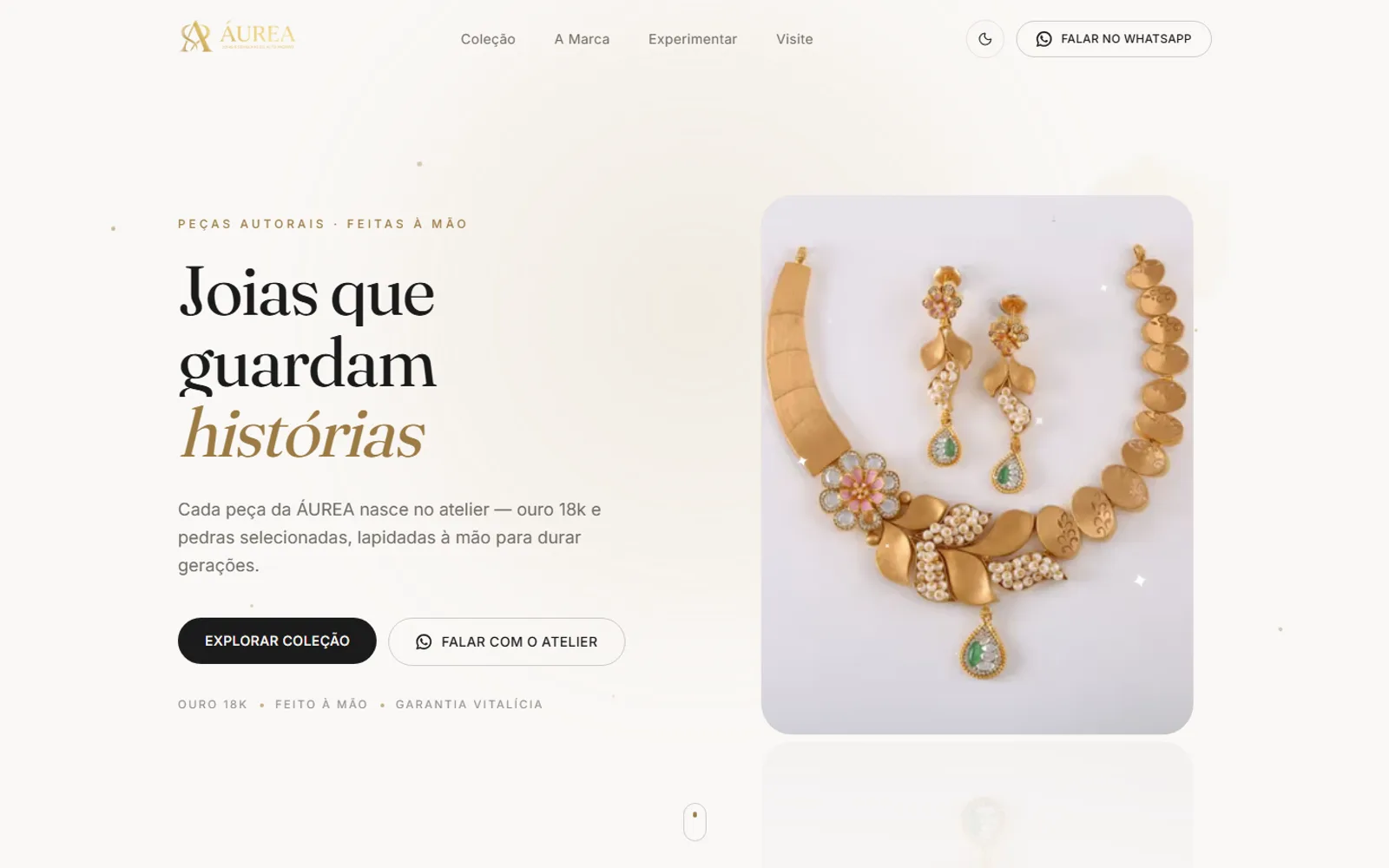
AURÉA Joalheria
Problem
Indie jewelers sell via Instagram photos, with no elegant storefront and no way for the customer to “try on” the piece.
Solution
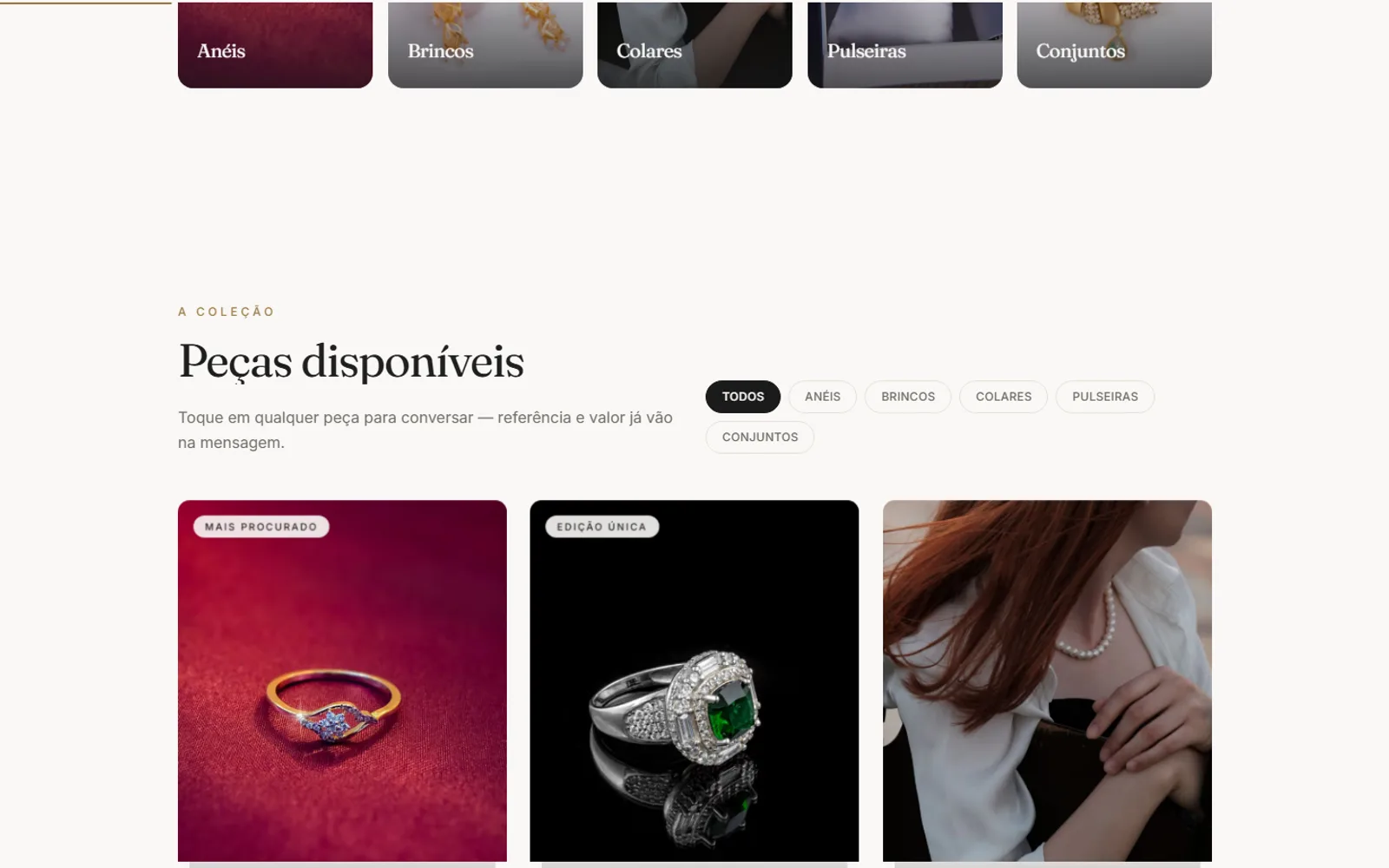
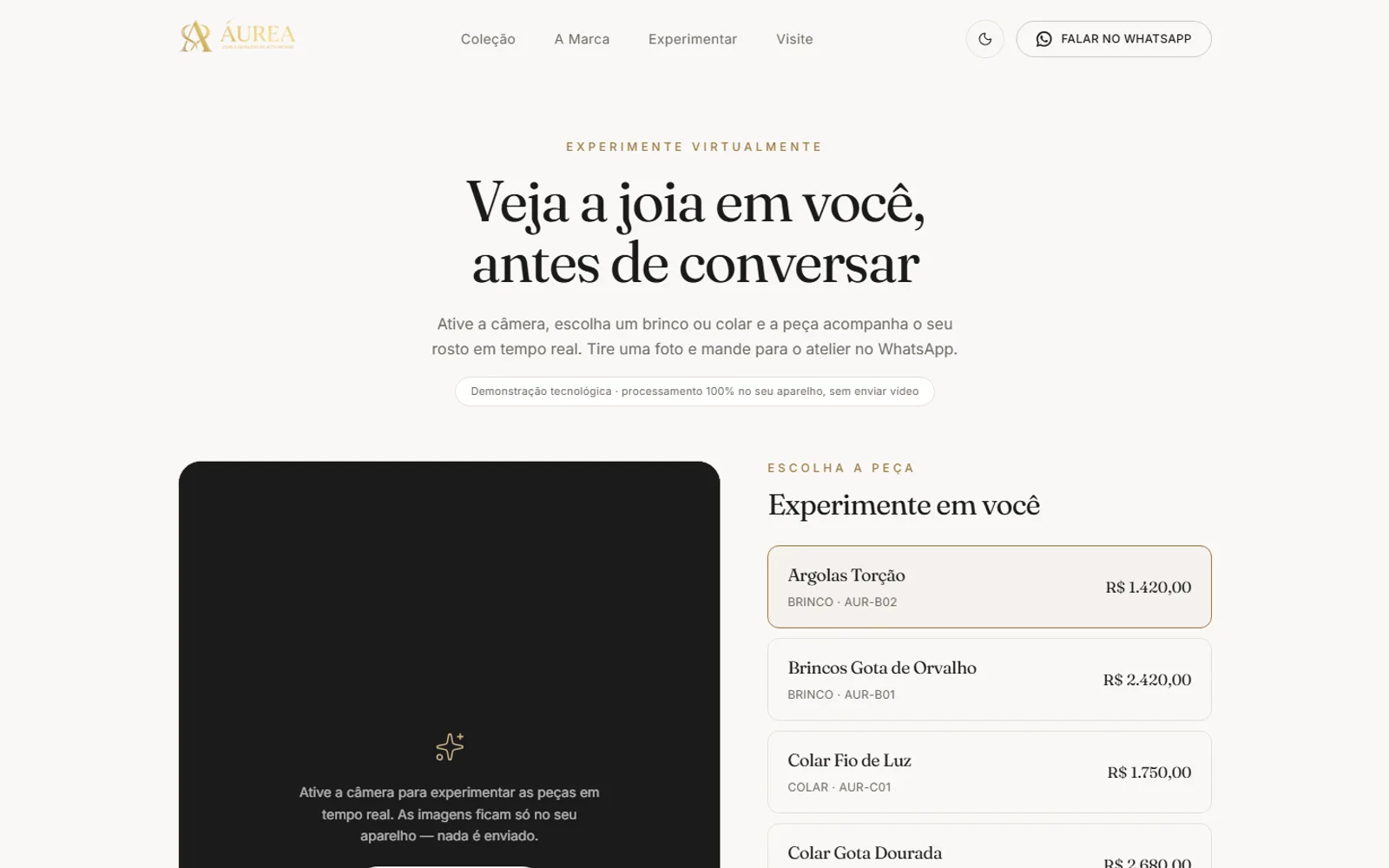
White-label editorial showcase with a Virtual Mirror that tries earrings and necklaces on via live camera (MediaPipe, 100% in-browser) and opens WhatsApp prefilled with the piece reference.
How it was built
ÁUREA starts from an explicit product constraint: it isn't e-commerce. No cart, no checkout, no payment gateway, and every purchase intent converges on the atelier's WhatsApp. That rule is written into the project's AGENTS.md ("Product model: SHOWCASE → WhatsApp... don't add a cart/checkout without an explicit request") and enforced in code: a single module, src/lib/whatsapp.ts, builds every message, and AGENTS.md bans hand-rolling wa.me links anywhere else. productMessage() serializes the piece into three fixed lines (Name, Reference and Price via formatCents()) so the seller can identify the item instantly, without opening the site.
The riskiest technical piece is the Virtual Mirror at /experimentar: earring and necklace try-on via camera, 100% in-browser, with no video sent to any server. VirtualMirror.tsx lazy-loads @mediapipe/tasks-vision (FaceLandmarker, GPU delegate) from a CDN on demand and runs detection in a requestAnimationFrame loop, reading fixed landmarks off the face mesh (ears at indices 234/454, chin at 152, eyes at 33/263) to compute face width and head-tilt angle every frame. A detail that only shows up in production: MediaPipe and TFLite logs ("XNNPACK delegate...") are emitted via console.error, and Next's dev overlay treats that as a crash. The code intercepts and filters exactly those benign messages by regex, without swallowing real errors.
The jewelry isn't a cut-out photo pasted on the face. It's drawn vectorially on canvas every frame in src/lib/mirror/draw.ts, using radial gradients to fake metal and pearl and a fixed specular highlight for shine. Raw landmark positions are noisy, so an exponential moving average (EMA, factor 0.35) smooths jitter frame to frame before drawing. Each piece type has hand-calibrated fit constants expressed as fractions of ear-to-ear distance (EARRING_DROP, NECK_SIDE_INSET, NECK_CENTER_DROP...). It's deliberate eyeballed tuning, not geometry derived automatically, and it's flagged as "calibrate here" directly in the file.
The rest of the site is built white-label: brand color, contact info and copy live only in theme.config.ts and copy.ts (Tailwind v4 with no tailwind.config, --store-* variables mirrored in both places), and no catalog piece depends on a database. Every product card uses a Showcase component, a museum-vitrine effect built in pure CSS 3D (transform-style: preserve-3d, six layers at distinct translateZ depths, cursor-following tilt via Framer Motion's useSpring). It fakes a piece under glass and spotlight with zero WebGL, and it's automatically disabled under prefers-reduced-motion.
100% client-side try-on
MediaPipe's FaceLandmarker runs entirely in the browser. No video frame ever leaves the client's device.
Single source of truth for WhatsApp
Every wa.me link goes through waUrl() or productWaUrl(). Hand-building the URL in components is banned.
Drawn jewelry, not a cutout
Earrings and necklaces are canvas vectors with gradients and EMA smoothing, not photos pasted over the face.
White-label without touching components
Brand, colors, contact and catalog switch store to store by editing just two config files.
More screens
Stack
- Next.js
- React 19
- TypeScript
- Tailwind v4
- MediaPipe
- Framer Motion